Help for Kiddo Studio, Pawtrait, PoseLab and Moments.
Contact us
Email support@photoailabs.com and we'll reply within 2 business days. It helps to tell us which app you're using, what happened and
when, and for purchase questions the date of purchase (your Apple receipt email is ideal). Never send us your
password.
Creating a shoot
Which app do I need? Kiddo Studio for your children, Pawtrait for pets (some themes include you),
PoseLab for modelling shoots of yourself, and Moments for couples, families, pregnancy and pre-wedding photos.
How do I create a shoot?
Sign in with Apple.
Buy a credit pack. You need credits before uploading photos.
Add a profile (for example your child's name and birth month, or your pet's species).
Add photos. Each one is checked on your iPhone for faces, focus and light before anything is uploaded.
Choose themes (or poses in PoseLab) and how many photos you want.
Agree to send the photos to our AI provider and start. We'll let you know when the album is ready.
Profiles keep their photos, so next time you can start a new shoot without adding them again.
Photo tips
Add a clear face close-up and a full-length photo. Extra photos from different days help the
likeness.
One person per photo (or just your pet), with no one else in the frame. For couples and families, add
photos of each person to their own profile.
Good, even light: daylight near a window or outdoors in the shade works well. Avoid strong backlight.
Recent, sharp photos where the face is clearly visible: no sunglasses, face filters, heavy edits or hands
covering the face.
For children, use photos from the last few weeks, as children change quickly.
If the app warns about a photo, it's usually worth choosing another one.
How long it takes
Usually a few minutes, longer for bigger albums. You can close the app: we send a notification when the album is
ready (if you've allowed notifications), and a Live Activity can show progress on your Lock Screen. A new version
of a single photo usually takes 1 to 2 minutes.
Re-takes and failed photos
A photo doesn't look right. Open it and tap the re-take button (two circular arrows) to make a new version
for free. Each photo can be re-taken a limited number of times (currently twice). If a re-take can't be made, your
original photo is kept.
A photo failed. If a photo can't be created, its credit is returned to your balance automatically and the
album shows how many credits came back.
AI images are artistic interpretations and won't always be an exact likeness. Better reference photos make the
biggest difference.
Credits and purchases
1 credit = 1 photo. Credits come in one-off packs bought through Apple. There's no subscription and
nothing renews.
Credits don't expire. They belong to the account in the app where you bought them, and can't be moved between
apps.
I bought credits but don't see them. Make sure you're signed in to the same account you bought them
with, then reopen the app. Unfinished purchases are checked again after you sign in and when the app is back online.
Still missing? Email us with the date of purchase.
Refunds
Purchases are handled by Apple, so refunds are too. Request one at
reportaproblem.apple.com. If a refund is approved, the matching
credits are removed from your account. Failed photos never need a refund request: their credits come back
automatically.
Deleting photos or your account
An album: open your albums and choose Delete album (once it has finished).
A profile or a saved photo: edit the profile and delete the photo or the profile.
Your account: on the account or profile screen, choose Delete account. This permanently deletes
your profiles, photos and albums, and any unused credits. Save any images you want to keep first.
You can also email us to delete your account. See the Privacy Policy for
details.
Your privacy
Photos are checked on your iPhone and only the ones you pick are uploaded. They're stored privately and
encrypted, sent to our AI provider (OpenRouter, using OpenAI's image model) only to create your images, and never used
to train AI. No ads, no tracking and we never sell your data. Read the full Privacy Policy and
Terms of Use.
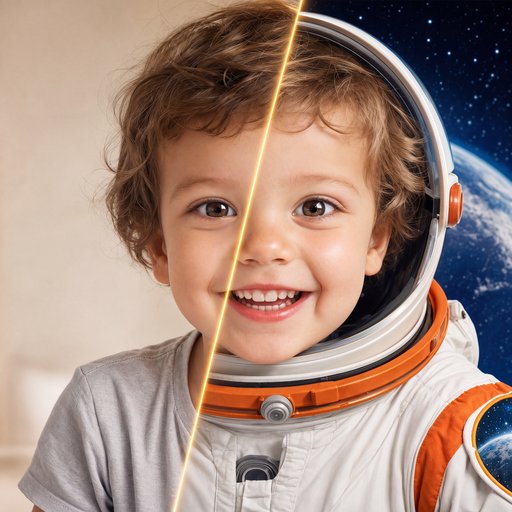 Kiddo Studio